AI-generated text is becoming increasingly difficult to distinguish from human writing. Whether you're reviewing online content, checking the origin of a passage, or verifying text before publication, an AI scanner can help assess whether content may have been generated by AI. But how do these tools work, and how reliable are their results?
This guide explains how to scan text for AI-generated content, interpret detection results, understand common accuracy limitations, and choose an AI scanner that fits your needs.
In this article
Part 1. What Is an AI Scanner?
An AI scanner is a tool that analyzes text to estimate whether it may have been generated by artificial intelligence. It examines patterns in language and writing that may be associated with AI-generated content, then provides a classification or likelihood estimate. While an AI scanner can help users assess text authenticity, its results are not definitive proof of who wrote the content.
What Can an AI Scanner Detect?
An AI scanner can identify patterns commonly associated with AI-generated writing and, depending on the tool, highlight passages that may warrant closer review. Some tools can also assess text that has been edited or partially generated with AI, although results may vary.
AI Scanner vs. AI Text Scanner
The terms AI scanner and AI text scanner often refer to the same type of tool when the goal is to detect AI-generated writing. However, “AI scanner” can also describe tools for other purposes, such as scanning files or systems. In this guide, it specifically refers to tools that analyze text for signs of AI-generated content.
Part 2. How to Scan Text for AI-Generated Content
You can scan text for AI-generated content using an online AI scanner. The process typically involves choosing a tool, submitting your text, running a scan, and interpreting the results.
Choose an AI Scanner. Select an online AI scanner with clear results, suitable text length limits, and a privacy policy that meets your needs. If you prefer a free AI scanner, check its usage limits before getting started.
Enter or Paste Your Text. Copy the text you want to check into the scanner's input field. Follow the tool's requirements and avoid submitting sensitive or confidential information without authorization.
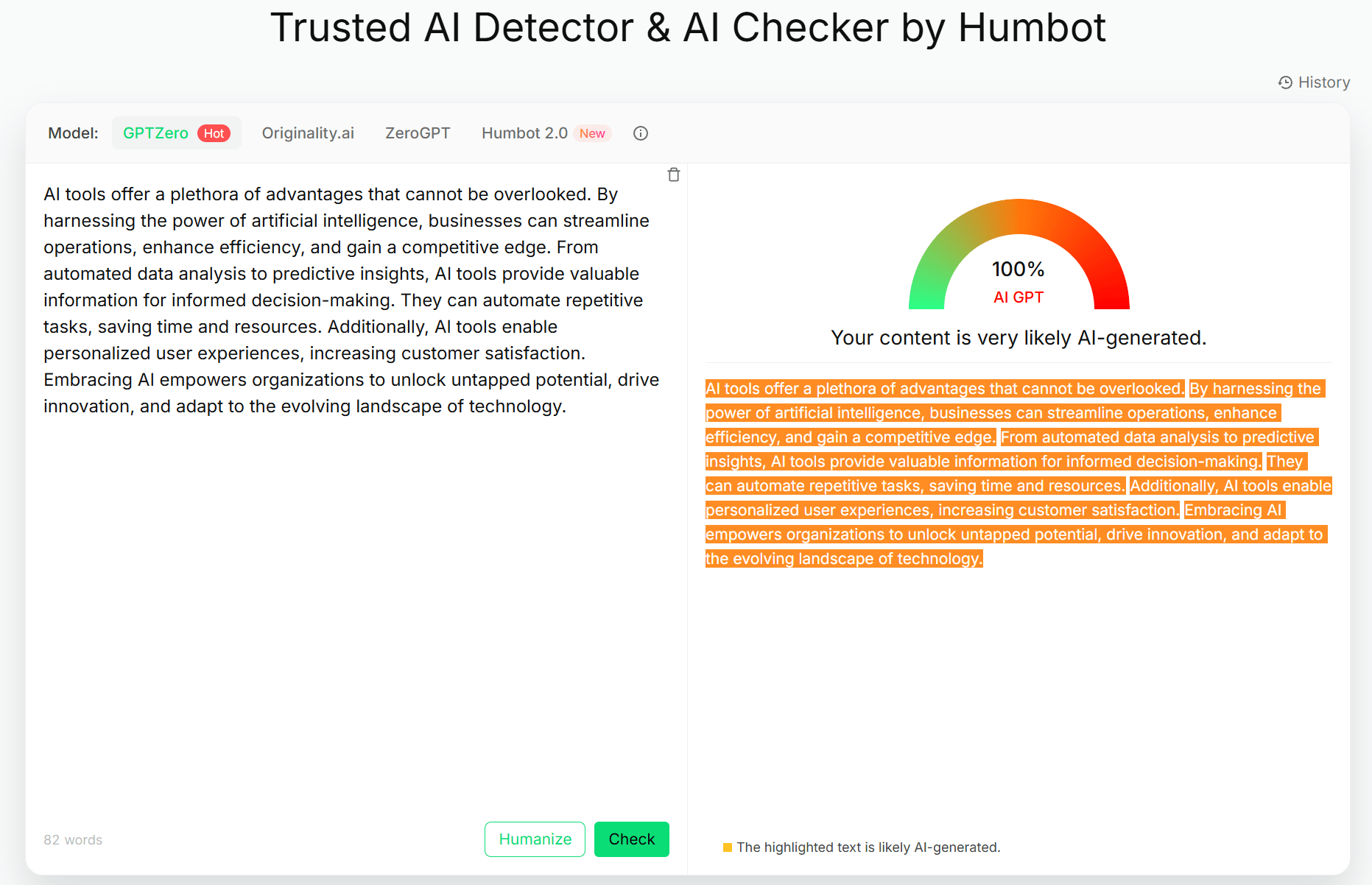
Run the AI Scan. Click the detection button and wait for the tool to analyze your text. Processing times may vary depending on the tool and the amount of text submitted.
Review and Verify the Results. Examine the classification, likelihood estimate, or highlighted passages provided by the tool.
For a quick online check, try Humbot AI Checker to analyze text for signs associated with AI-generated writing. Since results can vary between tools, consider the text's context, original sources, and available writing records before drawing conclusions.
Part 3. How Does an AI Scanner Work?
An AI scanner analyzes text to estimate whether it may have been generated by artificial intelligence. Although detection methods vary between tools, most follow a general process involving text analysis and result classification.
Text Pattern Analysis
An AI scanner may examine linguistic features, sentence structures, word choices, and statistical patterns associated with AI-generated writing. It uses these signals to assess whether the text resembles patterns learned by its detection model.
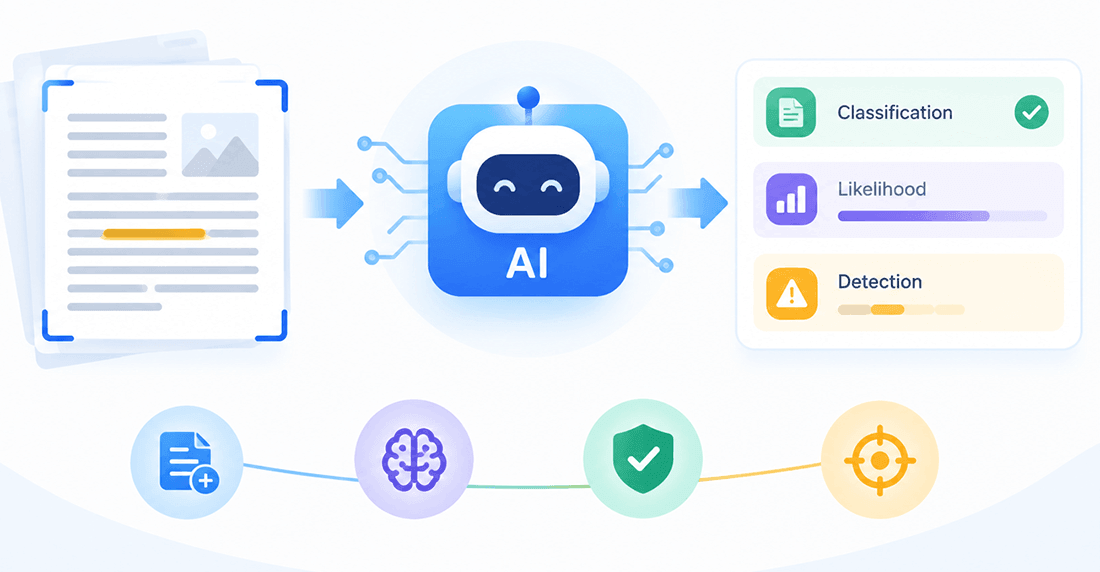
AI Likelihood and Classification
After analyzing the text, the tool may provide a classification, likelihood score, or other detection indicator. These results are not standardized across tools, so scores from different scanners should not be directly compared.
Why AI Detection Is Not Definitive
Human-written text may share patterns with AI-generated content, while edited AI text may be harder to identify. Short passages, repetitive language, and formulaic writing can also affect results. Therefore, an AI scanner provides an estimate rather than definitive proof of authorship.
Part 4. How to Interpret AI Scanner Results
Understanding an AI scanner's results is just as important as running the scan. Most tools provide a classification or likelihood estimate, but these results should be treated as indicators rather than definitive proof of authorship.
| Result type | What it may indicate | What to do next |
|---|---|---|
| Likely AI-generated | Patterns associated with AI writing | Review context and writing history |
| Likely human-written | Fewer AI-associated patterns | Avoid treating it as proof |
| Uncertain or mixed | No clear classification | Gather additional evidence |
Results Indicating Likely AI-Generated Text
A result indicating likely AI-generated text means the content shows patterns commonly associated with AI writing. However, it does not confirm that AI produced the text. Human-written content can share similar patterns, so consider the context and available writing history before drawing conclusions.
Results Indicating Likely Human-Written Text
A likely human-written result suggests the scanner detected fewer patterns associated with AI-generated content. It does not prove the text was written entirely by a human or that no AI assistance was involved. Some AI-generated or AI-edited content may not be flagged.
Mixed or Uncertain Results
Mixed or uncertain results mean the scanner cannot confidently classify the text. If sentence-level analysis is available, review the specific passages flagged by the tool. Otherwise, consider the overall result alongside other evidence.
Part 5. How Accurate Are Free AI Scanners?
Free AI scanners can help identify patterns associated with AI-generated text, but their results are not always reliable. Accuracy depends on several factors, including text length, language patterns, writing style, subject matter, and whether the content has been manually edited or rewritten by AI. The detection model and the data used to train and evaluate it also matter.
What Affects AI Detection Accuracy?
Short passages, formulaic writing, and heavily edited text can make detection more difficult. Different tools may also produce different results for the same content.
Can an AI Scanner Produce False Positives?
Yes. Human-written text may be incorrectly flagged as AI-generated, while AI-generated content may go undetected. A detection score should not be treated as definitive proof of authorship.
Are Free AI Scanners Reliable?
Free tools can be useful, but price alone does not determine accuracy. Compare their testing methods, supported content types, result explanations, usage limits, and privacy policies. For stronger evidence, test tools against human-written, AI-generated, and AI-edited samples before making claims about accuracy.
Part 6. AI Scanner vs. Plagiarism Checker
An AI scanner and a plagiarism checker serve different purposes. Understanding the difference helps you choose the right tool for checking text authenticity and originality.
What Does an AI Scanner Check?
An AI scanner analyzes writing patterns to estimate whether text may have been generated by AI. Its results indicate potential AI-associated characteristics, not definitive proof of authorship.
What Does a Plagiarism Checker Check?
A plagiarism checker compares text against accessible sources or databases to identify matching content. Its coverage depends on the tool's available sources, so it may not detect every instance of plagiarism.
Can You Scan for Plagiarism and AI at the Same Time?
Yes. Some platforms let you scan for plagiarism and AI in one place, such as Humbot. However, the two checks address different concerns: AI detection estimates how text was produced, while plagiarism detection identifies textual similarities. Review both results separately for a more complete assessment.
Part 7. When Should You Use an AI Scanner?
An AI scanner can be useful in various situations when you want to assess whether text may have been generated by AI. It provides an additional signal to consider when reviewing content, but its results should not be treated as conclusive evidence.
- Content Review: Run a preliminary check on online content before publication to identify text that may need closer review.
- Editorial Workflows: Help editors prioritize content for further verification alongside other quality checks.
- Research and Information Verification: Add another layer of assessment when evaluating the origin and reliability of information.
- Everyday Online Reading: Examine text from unclear sources to gain additional context about how it may have been produced.
An AI scanner should support, not replace, human judgment. A single result is not enough to determine whether an author is dishonest, has violated a rule, or has breached a policy.
Part 8. Try Humbot AI Checker to Scan Text for AI
Humbot is an all-in-one AI study assistant that helps you check, refine, and improve your text in one place. Use Humbot AI Checker to analyze text for patterns associated with AI-generated content, then explore other tools to support your writing and learning workflow.
What You Can Do with Humbot
-
AI Text Detection
Scan text for AI-associated patterns and review the detection results to better understand how your content may be classified.
-
All-in-One AI Study Assistant
Go beyond detection with tools for rewriting, grammar improvement, summarization, homework assistance, and other everyday study tasks.
-
AI Humanizer
Refine AI-generated text to make it sound more natural and readable while preserving your intended meaning. Run an AI scan afterward to review the results, keeping in mind that detection scores are estimates rather than proof of authorship.
🛡️100% Data Privacy • 🚀 Instant Access
Whether you want to scan text for AI, refine a draft, or streamline your study workflow, Humbot brings multiple AI-powered capabilities together in one place.
Frequently Asked Questions
1. What Is an AI Scanner?
An AI scanner analyzes text for patterns commonly associated with AI-generated writing. It estimates whether content may have been produced by AI but cannot directly verify the author's identity.
2. How Can I Scan Text for AI-Generated Content for Free?
Choose an AI scanner that offers free access, paste your text into the input field, run the scan, and review the results. Check the tool's free usage limits and text length requirements before starting.
3. Is a Free AI Scanner as Accurate as a Paid One?
Not necessarily. Price alone does not determine accuracy. Compare tools based on independent testing data, supported text types, detection methods, and stated limitations.
4. Can an AI Text Scanner Detect AI-Edited Writing?
Detection can be more difficult when AI-generated text has been edited by a human or rewritten using AI. Results vary depending on the tool and the text.
5. Can an AI Scanner Tell Who Wrote a Text?
No. An AI scanner assesses text characteristics but cannot independently confirm who wrote the content or how it was created.
6. Is an AI Scanner the Same as a Plagiarism Checker?
No. An AI scanner looks for patterns associated with AI-generated text, while a plagiarism checker identifies similarities between text and accessible sources. The two tools address different questions and should be interpreted separately.
Final Thoughts
An AI scanner offers a practical way to check text for patterns associated with AI-generated content, but no result should be treated as definitive proof of authorship. Whether you need a free AI scanner or an AI text scanner for everyday content review, consider the tool's capabilities, limitations, and privacy policy. Humbot AI Checker lets you scan text for AI and review detection results from available models in one place. Try Humbot to support more informed content assessments.
🛡️100% Data Privacy • 🚀 Instant Access