ChatPDF
Interact with any document with Humbot's ChatPDF tool. Try it out for free here!

ChatPDF: Chat with Any PDF & Summarize PDF Free Online
Ever wanted to interact with your PDF or Word document? With Humbot's ChatPDF, you can instantly analyze, translate, summarize or even ask questions about its contents via our AI chatbot. Try the perfect smart AI reader to understand your documents now!
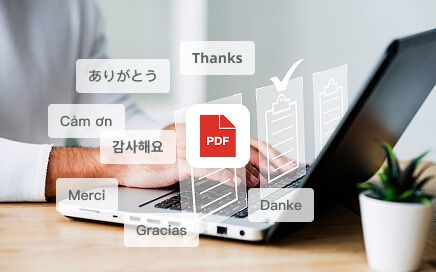
Ask AI Questions About Your Documents
Want to extract key information from your document? We’ve got you! Get accurate and relevant answers that pertain to the document, backed by precise citations and references via AI chat.
Get Started Free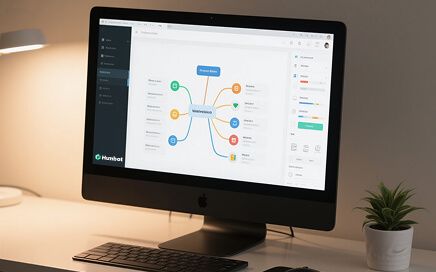
Smart Mind Map Making
Turn complicated documents into visual mind maps that make sense. Watch as main ideas and connections appear before your eyes. Perfect for studying, presentations, or when you need to see the big picture!
Get Started Free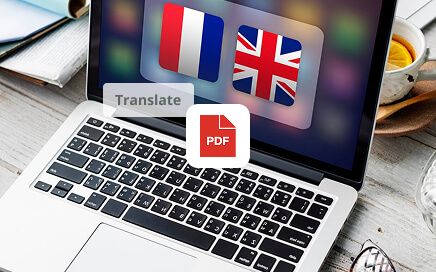
Translate Document Content
Need to accurately translate a PDF/Word document fast? This is easy! With our ChatPDF, you can convert the entire document into any native language like French, Japanese, German or Spanish in seconds.
Get Started Free
Instant Summarization
Looking to summarize PDFs in a hurry? Our tool can help. Get concise and informative briefs that cover all the key points in a document to save yourself hours of reading time.
Get Started FreeWho Can Our ChatPDF Help?
Using our ChatPDF tool, you can get AI-driven insights from any PDF document for various use cases.
Educational Workers
Struggling to understand complex information in a PDF? Use our chatPDF to ask questions and get quick, detailed answers, backed by citations from specific sections in the documents.

Marketers
Want to summarize product/service documents or marketing reports? Get ChatPDF to help break it all down into small digestible briefs that can be easily understood and shared.

Freelancers
Handling work for international clients? With our chatPDF tool, you can just upload any PDF or word document and let our AI tool help you understand its content with unparalleled accuracy.

How to Use ChatPDF AI PDF Summarizer?
Upload
Drag and drop or upload your PDF or Word file to start interacting with the document.

Analyze
Our ChatPDF tool will instantly analyze the document’s contents.
Interact
Get summaries, create mind maps, translate text, ask questions to AI and more.
Check Out Our Other Helpful Tools
- Plagiarism Checker
Instantly scan any content for plagiarism.
- AI Humanizer
Instantly transform AI-generated text into natural, human-like writing.
- Summarizer
Summarize any content into concise key points.
- Citation Generator
Generate accurate citations in any style instantly.
What Our Users Say About Us

Charlotte Taylor
University Senior

Jessica Pearson
Corporate Lawyer

Matthew Miller
Master's Student

Michael Ross
Financial Analyst
Charlotte Taylor
University Senior
Jessica Pearson
Corporate Lawyer
Matthew Miller
Master's Student
Michael Ross
Financial Analyst
FAQs about Humbot's ChatPDF AI Tool
What is ChatPDF?
ChatPDF is an advanced AI-powered tool that lets you interact and extract information from PDFs and Word documents in real time. You can use it to summarize text, make mind maps, ask questions about the content, translate text in other languages, and so much more. This lets you analyze any document in an instant.
How does ChatPDF AI work?
ChatPDF AI analyzes the content of your uploaded PDF and allows you to interact with it through natural language questions, helping you quickly find answers and insights.
What can our ChatPDF tool be used for?
It can be used by anyone looking to quickly extract and understand key information from any document. Whether you are a marketer, content creator, or any working professional, this tool can simplify document analysis, saving you a lot of time and effort.
Is your ChatPDF tool free?
Yes. Our ChatPDF tool offers a free plan. This lets you interact with PDF documents without paying any fees or having to submit any credit information. If you need to get more access and use the full features, you will need to get a premium plan.
What types of documents can I upload on this tool?
We accept document formats like PDF and DOC/DOCX. Our tool can help with analyzing reports, articles, notes, and so much more. Keep in mind the AI chat platform is also mobile-optimized. So, you can upload your documents using any phone or tablet device easily.
Will my document remain secure?
Absolutely. Our platform employs enterprise-grade security measures that are designed to keep your documents encrypted and private. We also don’t store your files in our database, either. This means no unauthorized third parties will ever have access to the document you upload.
Do I need to install anything to use ChatPDF?
No. ChatPDF works entirely online in your browser—no downloads or installation required.
Who is ChatPDF best for?
ChatPDF is ideal for students, researchers, professionals, and anyone who needs to read, analyze, or review PDF documents efficiently.

Make Your Document Reading Smarter and Easier
Get AI-driven insights into any document with our smart AI reader!
Get Started Free