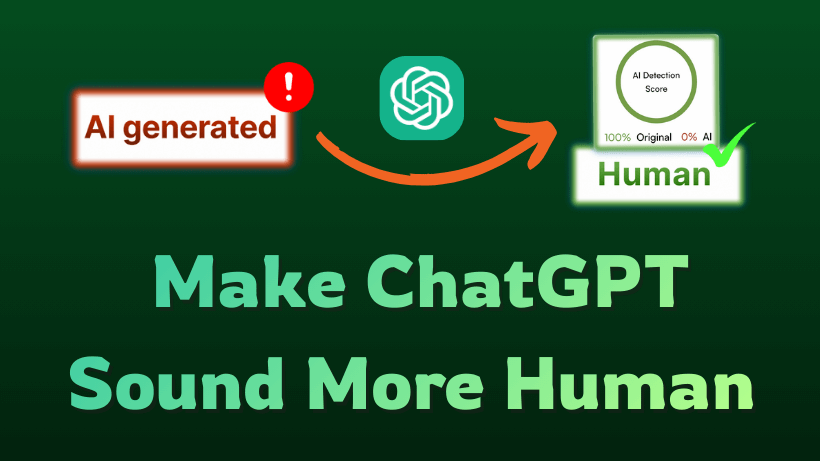
We have all encountered the dreaded AI accent. The grammar is consistently flawless, yet the tone often feels hollow and completely soulless.
While ChatGPT is undoubtedly brilliant, it defaults to a safe, generic style that fails to connect with readers. Fortunately, you can fix this with the right tools.
This guide covers specific prompts and the best automated websites to fix robotic text. Read on to learn exactly how to make ChatGPT sound more human and discover the secrets of how to make ChatGPT text sound more human today.
In this article
Part 1. Why Does ChatGPT Sound So Robotic?
ChatGPT sounds robotic because it works like a giant prediction machine. It selects the safest, most likely next word based on math rather than emotion.
This creates text with low "perplexity," which makes it very predictable to read. It also lacks "burstiness," meaning the sentence structures stay boringly uniform.
You can easily spot these dead giveaways in your content. AI models love to overuse stiff transition words like "Furthermore" and "In conclusion."
They also avoid strong opinions. Recognizing these common patterns is the first crucial step if you want to learn how to make ChatGPT responses sound more human and authentic.
Part 2. Prompt to Make ChatGPT Sound Human
To transform robotic output into engaging text, you must move beyond basic instructions. The default setting of ChatGPT is designed to be neutral and safe, which inevitably results in a stiff tone. To break this pattern and inject authenticity, you need advanced prompt engineering. Here are the most effective strategies and specific templates you can use immediately.
The Persona Injection Strategy
Standard AI defaults to a helpful assistant tone. To fix this, you must assign a specific role. This shifts the model's language towards a specific archetype rather than the "average" internet text.
💡Copy This Prompt
"Act as a casual college student explaining this to a friend. Use simple vocabulary, contractions like 'don't,' and a friendly tone. Avoid corporate jargon."
The Style Transfer Technique
Instead of generic text, force the AI to mimic a recognizable voice. This leverages the model's training data to overwrite its default safety filters.
💡Copy This Prompt
"Rewrite this text in the style of a casual Reddit user. Keep the tone loose, opinionated, and slightly messy. You can start sentences with 'And' or 'But' to maintain a conversational flow."
Negative Constraints
AI models are addicted to certain "filler" words like "delve" or "landscape." You must create a ban list to force creativity.
💡Copy This Prompt
"Write a blog intro. Strict constraints: Do not use the words 'delve,' 'landscape,' 'tapestry,' or 'moreover.' Use active voice only."
Perplexity and Burstiness Command
AI naturally produces uniform, boring sentences. You need to explicitly command the algorithm to vary its structure to mimic human unpredictability. This is often the most effective how to make ChatGPT sound human prompt.
💡Copy This Prompt
"Write with a high degree of perplexity and burstiness. Mix short, punchy sentences with longer, complex ones. Avoid a uniform rhythm."
Master Negative Constraint Prompt
AI models default to predictable buzzwords that trigger detection algorithms instantly. Banning these specific terms forces the model to use creative, authentic language.
💡Copy This Prompt
"Rewrite the following text with strict constraints. Do not use any of the following robotic words: delve, landscape, tapestry, testament, vibrant, furthermore, moreover, in conclusion, or it is important to note. Use varied sentence lengths and clear, active verbs only."
Permanent Custom Instructions: What to Tell ChatGPT
Instead of typing prompts repeatedly, update your ChatGPT Custom Instructions to apply human writing rules automatically across every session.
💡Copy This Prompt
"Write in plain, natural conversational English. Vary your sentence structures constantly to create high perplexity and burstiness with natural speech rhythm. Strictly ban predictable corporate filler words including delve, tapestry, testament, moreover, and furthermore. Never use em dashes or overly formal transitions. Inject realistic opinions, active voice, and relatable phrasing into every response."
Applying these how to make ChatGPT sound human tips will instantly make your generated text feel warmer, authentic, and significantly less likely to trigger detection.
Part 3. The Automated Solution: Apps That Make ChatGPT Sound Human
While advanced prompts improve tone, specialized web apps and software tools commonly known as AI humanizers offer the most reliable way to make AI writing undetectable.
If you need a quick automated app that makes ChatGPT sound more human without spending hours on manual editing, Humbot provides an effective solution. It restructures text logic, disrupts predictable statistical rhythms, and guarantees natural human phrasing in seconds.
Humbot
4.9/5.0
- Guaranteed Undetectability: Humbot is specifically engineered to bypass the strictest AI detectors, including Turnitin, GPTZero, and Originality.ai, consistently achieving a 100% human score.
- Contextual Accuracy: Unlike basic spinners that just swap synonyms, Humbot understands the logic of your text. It ensures the rewritten content retains the original meaning and technical details without distortion.
- Plagiarism-Free Output: The tool generates completely unique, high-quality content that passes both AI detection and traditional plagiarism scans.
- Versatile Rewriting Modes: Users can choose from multiple modes such as Standard, Creative, or Enhanced to perfectly match the desired tone and complexity of the assignment.
- Instant Processing: It converts robotic AI drafts into human-like writing in seconds, streamlining your workflow and eliminating hours of tedious manual editing.

How to Humanize ChatGPT Content with Humbot in 3 Steps
Transforming robotic AI text into natural content is effortless with Humbot. Follow these three simple steps to bypass detection instantly.
Generate your initial draft: Using ChatGPT or any other AI writing tool.
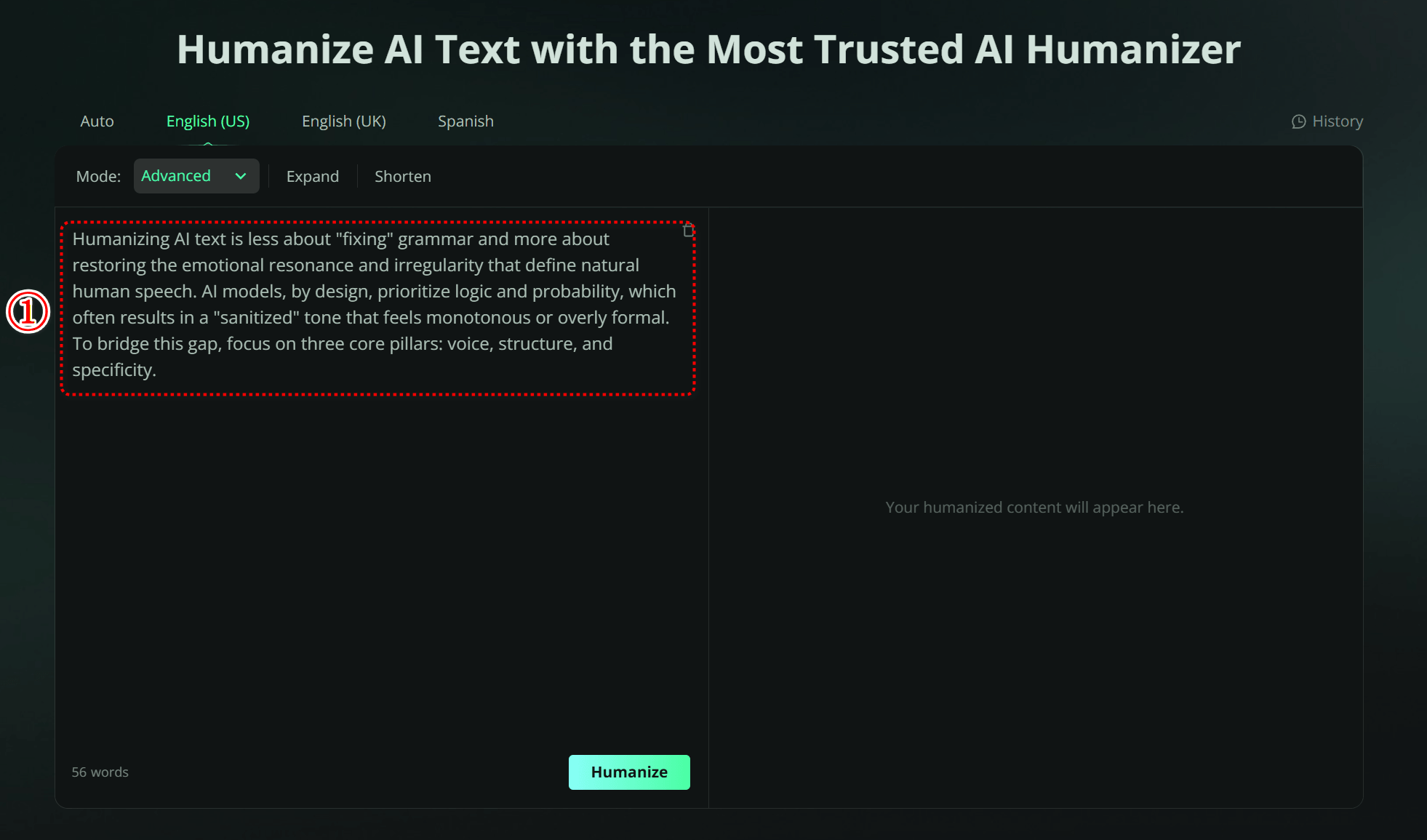
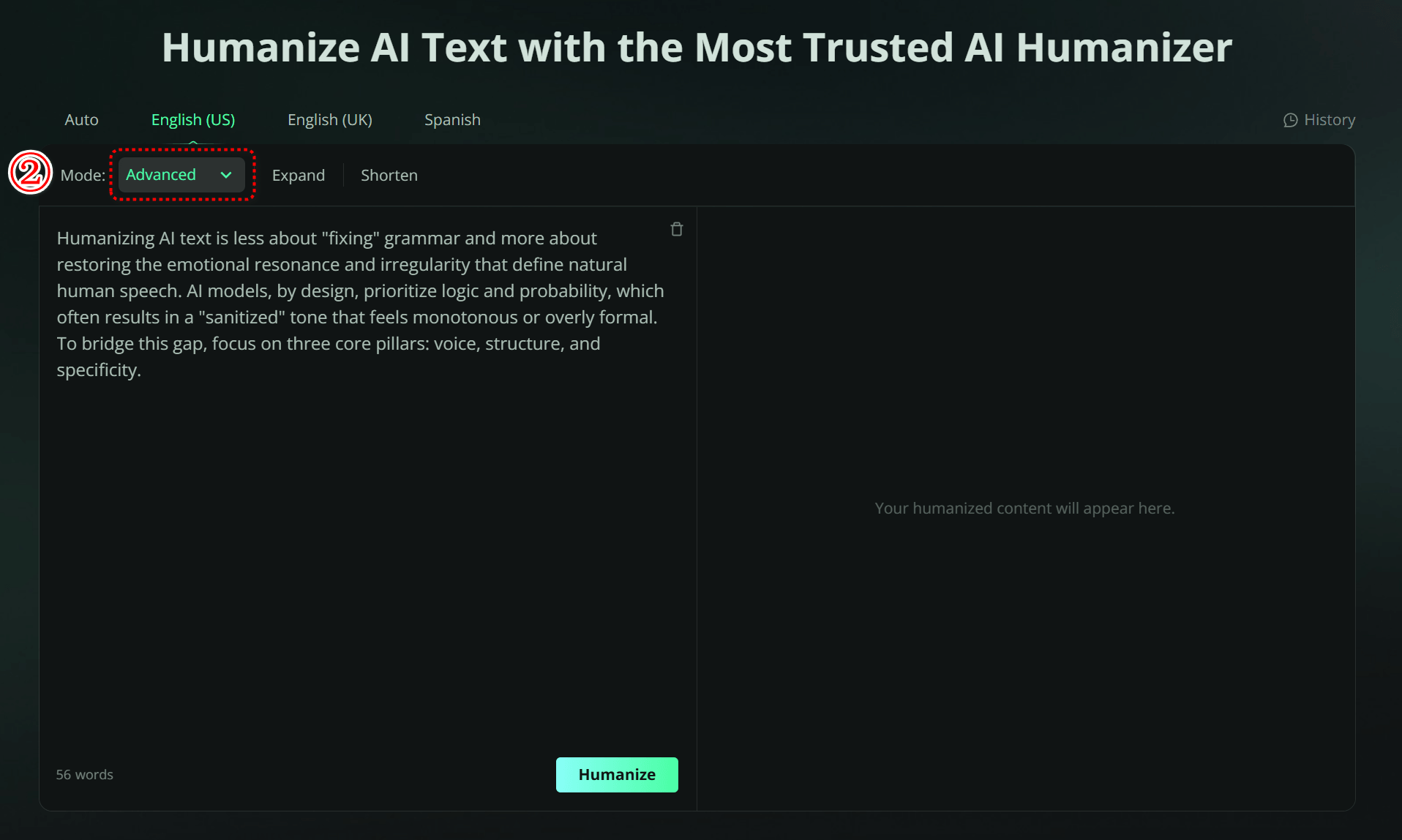
Copy and paste the text into Humbot: Select your preferred mode and click the "Humanize" button. Humbot's advanced engine will restructure the text logic in seconds.
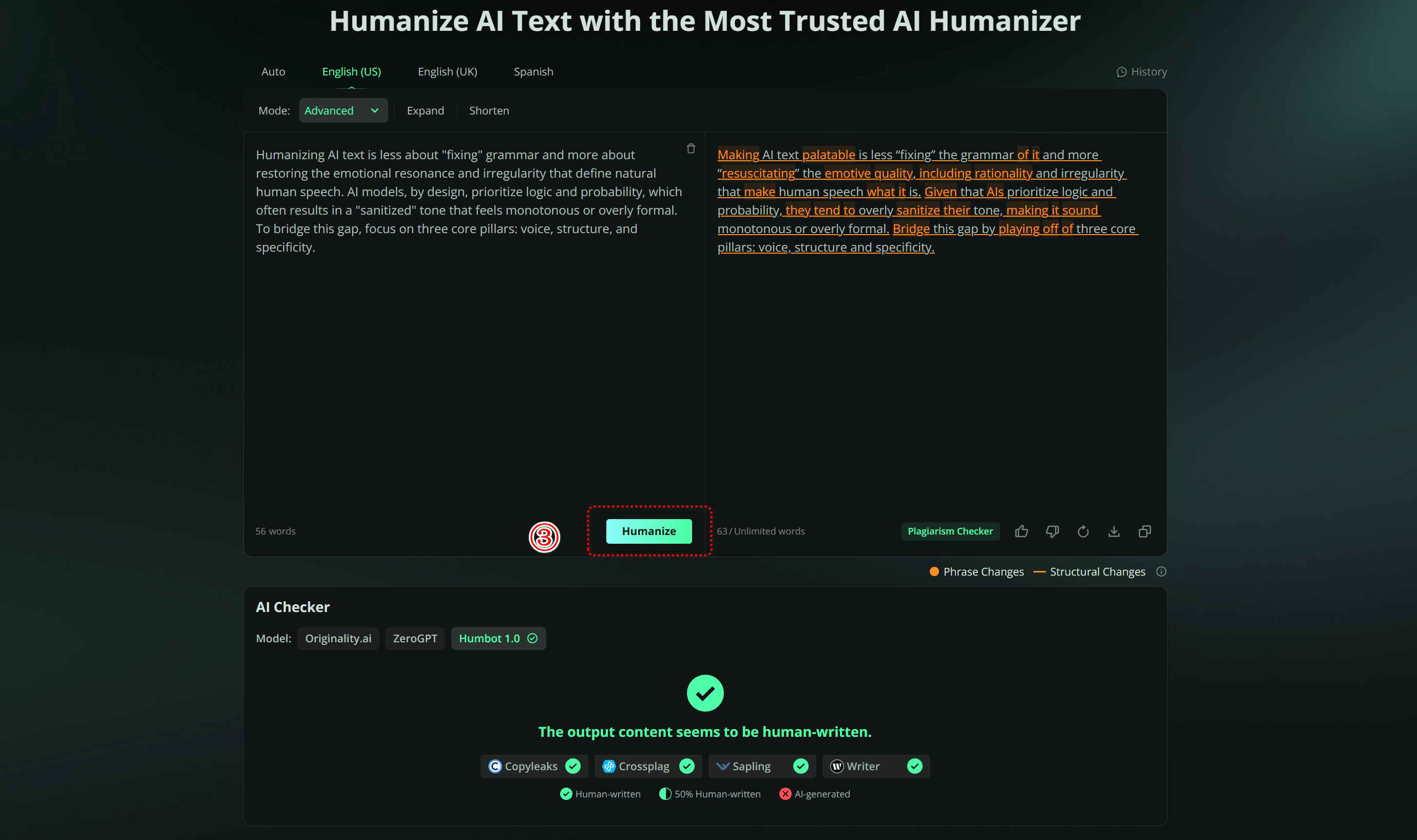
Export your content: You now have a fully humanized, plagiarism-free draft that retains your original meaning and achieves a 100% human score on detectors like Turnitin and GPTZero.
Part 4. 5 Quick Manual Editing Hacks
If you prefer to polish your text manually, these five targeted edits can significantly reduce the "robot" feel of your content.
Hack 1: Remove "AI Glue Words"
AI models are addicted to transition phrases. Ruthlessly cut words like "Moreover," "Furthermore," "In conclusion," "It is important to note," and "Delve." These are instant red flags for detectors.
Hack 2: Insert "I" Statements
Robots cannot have experiences. Add a personal anecdote or an opinion using "I" or "We." Even a simple phrase like "I noticed that..." can ground the entire paragraph in human reality.
Hack 3: Break Grammar Rules Intentionally
Perfect grammar is suspicious. Start sentences with "And" or "But." Use sentence fragments for emphasis. Mimicking natural speech patterns breaks the uniform predictability that algorithms look for.
Hack 4: Add Current Data
Most AI models have knowledge cut-offs. Including specific, recent events or statistics proves a human is actively updating the content, rather than just generating it from an old database.
Hack 5: Use Sensory Language
AI describes logic while humans describe feelings. Replace generic descriptions with sensory details such as what something looks, sounds, or feels like to create an emotional connection.
FAQs about Making ChatGPT Sound More Human
1. What are the best prompts to make ChatGPT write like a human?
The best prompts assign a specific personality, enforce negative word constraints, and command high perplexity and burstiness. Telling ChatGPT to write in plain English, use active voice, and avoid corporate buzzwords produces the most natural rhythm.
2. Are there online tools to make AI writing less detectable?
Yes. Automated software platforms commonly known as AI humanizers restructure statistical sentence patterns to eliminate AI flags. Humbot rewrites ChatGPT content into natural human prose that consistently passes strict algorithms like Turnitin and Originality.ai.
3. How do I prompt ChatGPT to avoid AI detection?
To reduce AI detection risk, instruct ChatGPT to mix short and long sentences, use casual phrasing, and ban predictable transition terms like furthermore or in summary. Using custom system instructions ensures these rules apply to all generated drafts automatically.
4. Can prompts alone fool Turnitin?
Rarely. While advanced prompts can improve flow, they often fail against strict detectors like Turnitin or GPTZero. To guarantee a bypass, you usually need a specialized humanizer that fundamentally restructures the text's logic and syntax.
5. Is there a free tool to humanize text?
Yes. Humbot offers a robust free version that allows you to test its capabilities without a credit card. It is excellent for checking short paragraphs or validating the quality before you commit to larger tasks.
6.Does humanizing text affect SEO?
Yes, positively. Google penalizes "unhelpful," robotic content. By humanizing your text, you increase engagement metrics like time-on-page and satisfy Google's E-E-A-T standards, which protects your search rankings.
7. What is the 30% rule in AI?
The 30% rule typically refers to the optimal balance of collaboration: 70% of the work (repetitive drafting/data) is done by AI, while the final 30% (creativity, strategy, and ethics) must be human-led. Keeping this 30% human touch is crucial for maintaining authenticity and bypassing detection.
Conclusion
You do not have to settle for generic, robotic text. With the right strategies, you can transform your drafts into engaging content that connects with readers. While manual prompts work well for simple daily tasks, professional work often requires absolute certainty.
For a guaranteed solution that bypasses strict detection, we recommend using Humbot. It is the most effective way to solve how to make Chat GPT sound more human, ensuring your writing remains authentic, original, and safe from penalties.
🛡️100% Data Privacy • 🚀 Instant Access