In 2026, AI-generated content is everywhere, but much of it still sounds robotic, repetitive, and flat. This makes it easy to detect and harder for readers to engage with. Failing to humanize AI text can lead to low trust, poor engagement, and even AI detection issues. That's why students, marketers, SEO writers, and businesses all need to humanize AI generated text.
In the sections below, we'll show how to make AI text human effectively, share practical techniques, highlight common pitfalls, and make AI content read naturally, authentically, and engagingly.

In this article
Part 1. What Does It Mean to Humanize AI Text
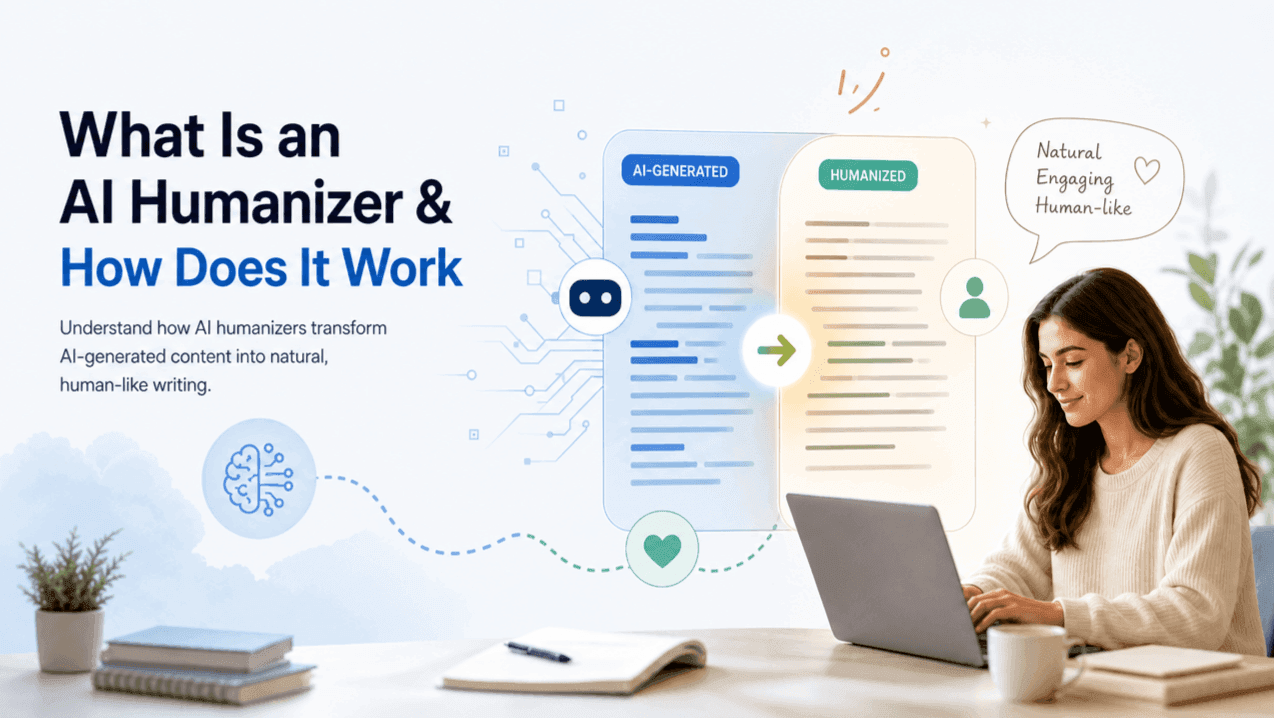
To humanize AI text means converting robotic, machine generated drafts into natural prose that mimics human writing style. This process adjusts sentence variance, eliminates repetitive vocabulary, and infuses logical nuances so the content reads smoothly and aligns with human editorial standards.
Overall, humanized AI text turns machine output into writing that feels authentic, clear, and engaging.
Part 2. Why AI-Generated Text Sounds Unnatural
2.1 Common AI Writing Patterns
- Repetitive sentence structures: AI often repeats similar phrasing, making content monotonous.
- Overly formal or neutral tone: Lacks natural variation in style and emotion.
- Lack of personal voice: Feels impersonal and robotic.
- Predictable phrasing: Reduces engagement and makes text easy to identify as AI-generated.
2.2 How AI Detectors Identify AI Text
- Statistical patterns: Detectors analyze word frequency, sentence structure, and token probability.
- Perplexity and burstiness: Measures how human-like and varied the text is.
- Raw AI content is easier to detect: Unedited AI text scores low on naturalness metrics.
Part 3. How to Humanize AI Text (Step-by-step Guide)
Manually Humanizing AI Text
Rewrite openings and conclusions
Make intros and summaries more engaging and personal.
💡Example:
Before: In conclusion, this article has discussed several ways to improve your writing.
After: Ultimately, a few quick edits can instantly elevate your draft from robotic to remarkable.
Add personal experiences or examples
Inject first hand insights to help readers relate to your message.
💡Example:
Before: Using a content checker helps users identify potential issues quickly.
After: When I first tested this tool on a 2000 word essay, it spotted three hidden syntax issues in seconds.
Vary sentence length and structure
Break up repetitive patterns to create a natural writing cadence.
💡Example:
Before: AI tools generate text quickly. They analyze patterns. They produce content in seconds.
After: While AI tools generate text in seconds by analyzing patterns, they often lack true natural rhythm.
Use conversational tone
Replace rigid jargon with clear language that feels human like and approachable.
💡Example:
Before: It is imperative to utilize this application in order to optimize productivity.
After: Using this app is one of the easiest ways to boost your daily output.
Manual editing is effective, but using an ai text humanizer, ai humanizer text, or humanizer ai text tool can speed up the process and maintain consistent, natural results.
Using an AI Text Humanizer Tool
For large volume content production, manual editing can be time consuming. Using an automated tool like Humbot AI Humanizer allows you to refine drafts instantly while preserving your original intent.
Humbot is a powerful AI humanizer designed to help writers, marketers, students, and businesses humanize AI text quickly and effectively. Unlike simple rewriting tools, Humbot focuses on maintaining the original meaning while improving readability, tone, and style, so your content feels genuinely human.
Humbot
4.9/5.0
- Demonstrated effectiveness across leading AI detectors: Proven to bypass major AI detection tools like GPTZero, Turnitin, Originality.ai, and Copyleaks through real, side-by-side content examples.
- Human-like rewriting: Converts robotic AI sentences into natural, flowing text.
- Preserves Core Meaning: Context aware algorithm ensures key facts and technical terms remain intact.
- SEO-friendly output: Keeps important keywords intact while improving readability.
- Fast processing: Generates humanized content in seconds, saving time compared to manual rewriting.
- Cross-format support: Works with essays, blogs, emails, social media posts, and more.

How to Use Humbot Humanizer AI Tool
Paste or upload your AI-generated text into Humbot's interface.
Select your desired mode and paste the text you want to humanize. Then click "Humanize" and let Humbot rewrite the content in seconds.
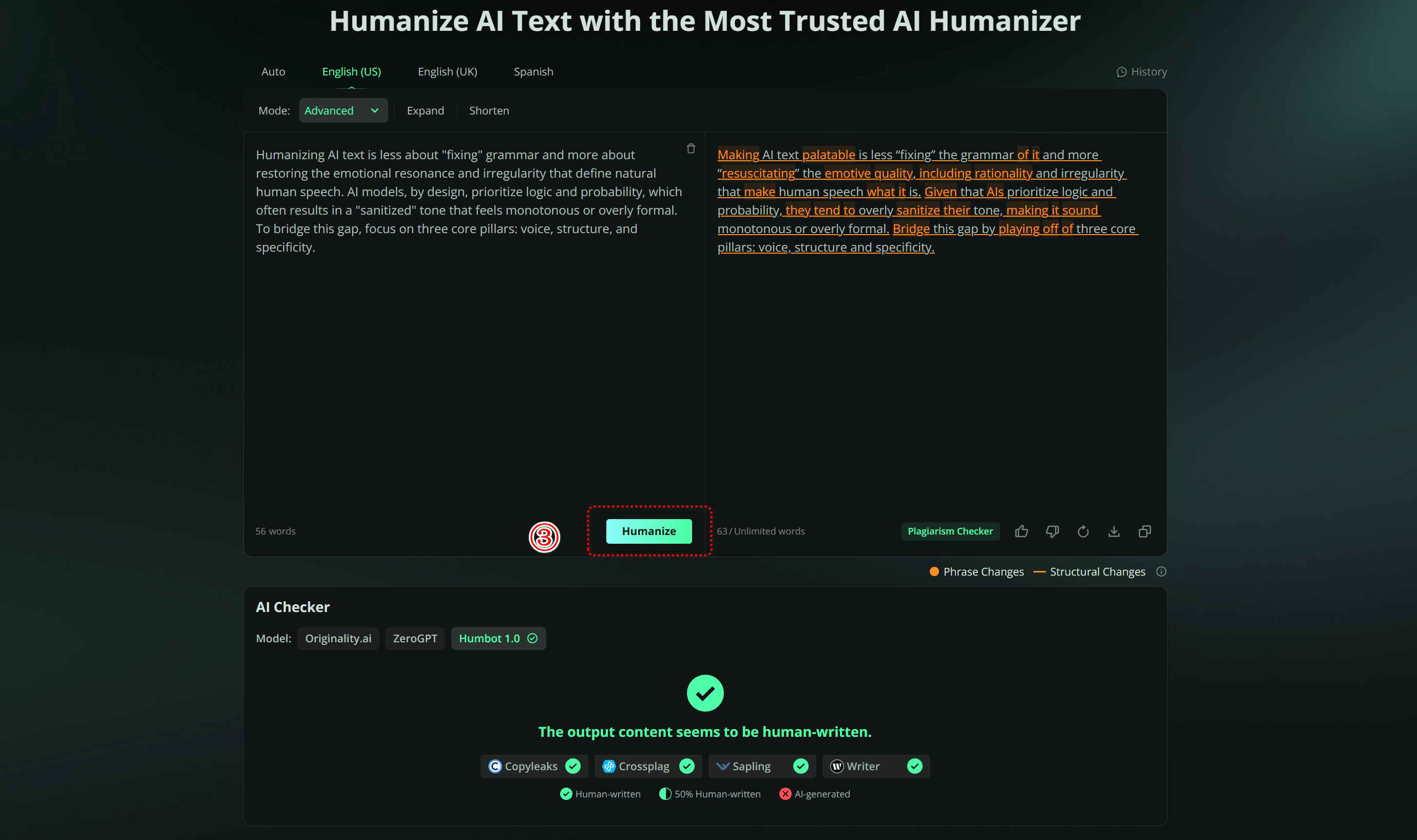
Review the polished output and export your natural, ready to publish content.
Why Humbot Is a Better AI Text Humanizer
| Feature | Humbot | Basic Rewriter |
|---|---|---|
| Detection resistance | High | Low |
| Meaning preservation | High | Medium |
| SEO-friendly output | ✅ | ❌ |
With Humbot, anyone can efficiently ai humanizer text, ensuring AI-generated content reads naturally, connects with readers, and is ready for publication without the time-consuming manual edits.
📌 You may also like
FAQs About Humanizing AI Text
1. Is it safe to humanize AI-generated text?
Yes. Humanizing AI-generated text is safe when done correctly. By rewriting sentences, adjusting tone, and adding personal touches, you reduce the risk of detection and make the content more readable. Tools like Humbot preserve the original meaning while making the text feel natural, ensuring it remains accurate and reliable.
2. Can I humanize AI text for free?
Yes. Humbot offers a free version that allows you to humanize short texts or test its features. While free tools have some limitations, they are enough for quick edits, drafts, or experimentation before upgrading to a full version for longer or more complex content.
3. How long does it take to humanize AI text?
The process is fast with tools. Manual editing can take hours, but using Humbot, AI-generated text can be humanized in seconds to minutes, depending on the length and complexity.
4. Will Humbot help content pass AI detection?
Humbot significantly improves the chances of passing AI detectors by rewriting sentences with varied structure, tone, and natural phrasing. While no tool can guarantee 100% undetectable results, Humbot makes AI content much harder to identify.
5. Will humanized AI text rank on Google?
Yes. Properly humanized content improves readability, engagement, and authenticity, all of which are key ranking factors. Combined with SEO best practices, humanized AI text can perform well in search results.
Conclusion
Humanizing AI text is essential for creating engaging content that connects with real readers. While manual editing provides complete creative control, leveraging an automated tool like Humbot drastically speeds up your editorial workflow without compromising quality.
Ready to elevate your content standards?
🛡️100% Data Privacy • 🚀 Instant Access