
Watching a 40-minute YouTube video is easy. Finding the five minutes you actually need is not. Students may need transcripts to review lectures, while researchers often need searchable text from videos. Creators and marketers can also turn spoken content into reusable written material, and others simply want to copy or save a transcript without transcribing everything manually.
A YouTube transcript generator can convert spoken content into searchable text in minutes. In this guide, we compare six tools based on transcript accuracy, processing speed, ease of use, free access, and what you can do with the transcript afterward.
In this article
What Is a YouTube Transcript Generator?
A YouTube transcript generator converts the spoken audio from a YouTube video into written text, making video content easier to search, review, edit, and reuse. Depending on the tool, it may use existing YouTube captions or AI-powered speech-to-text technology to create a YouTube video transcription, often with timestamps. A transcript generator for YouTube can be useful for lectures, research, content repurposing, and note-taking.
| Type | Best For |
|---|---|
| YouTube built-in transcript | Quick manual access |
| Transcript generator | Extracting and saving text |
| AI transcript generator | Transcription plus cleanup |
| AI study tool | Transcripts plus summaries, notes, and quizzes |
The key difference is what you can do after generating the transcript.
Quick Comparison: 6 Best YouTube Transcript Generators
If you need to choose a tool quickly, the table below highlights the main differences between these six YouTube transcript generators. The biggest distinction is what each tool lets you do after generating the transcript, from basic text extraction to AI-powered summaries and study materials.
| Tool | Best For | YouTube Transcript | Free Option | AI Features |
|---|---|---|---|---|
| Humbot | Transcript + AI study | ✓ | ✓ | Summary, Quiz, Mind Map |
| Notta | AI transcription | ✓ | ✓ | Summary |
| Descript | Creators | ✓ | ✓ | Editing + transcription |
| VEED | Video creators | ✓ | ✓ | Video + text tools |
| Otter.ai | Transcription | ✓* | ✓ | Notes + summaries |
| Tactiq | Quick transcript extraction | ✓ | ✓ | AI summaries |
* Otter.ai's YouTube transcription workflow may differ from tools that support direct YouTube URL input.
Note: Free plans, usage limits, supported YouTube workflows, and AI features can change over time. Check each tool's current offerings before publishing or making a purchase.
The 6 Best YouTube Transcript Generators in 2026
The best tool depends on what you want to do after generating the transcript. Some platforms focus on fast text extraction, while others combine transcription with editing, summaries, notes, or content repurposing. We compared six options based on their YouTube workflow, transcription capabilities, ease of use, and what they offer beyond basic video to text conversion.
Humbot — Best for YouTube Transcripts + AI Study ⭐
Humbot stands out because it treats a transcript as the beginning of the workflow rather than the final result. Instead of simply converting a YouTube video into text, its workflow can move from YouTube video → transcript → summary → AI Quiz → Mind Map. This makes it particularly useful for students, researchers, and anyone who needs to turn long videos into structured information. Humbot's YouTube summarizer also lets users paste a YouTube URL and generate a concise summary without watching the entire video.
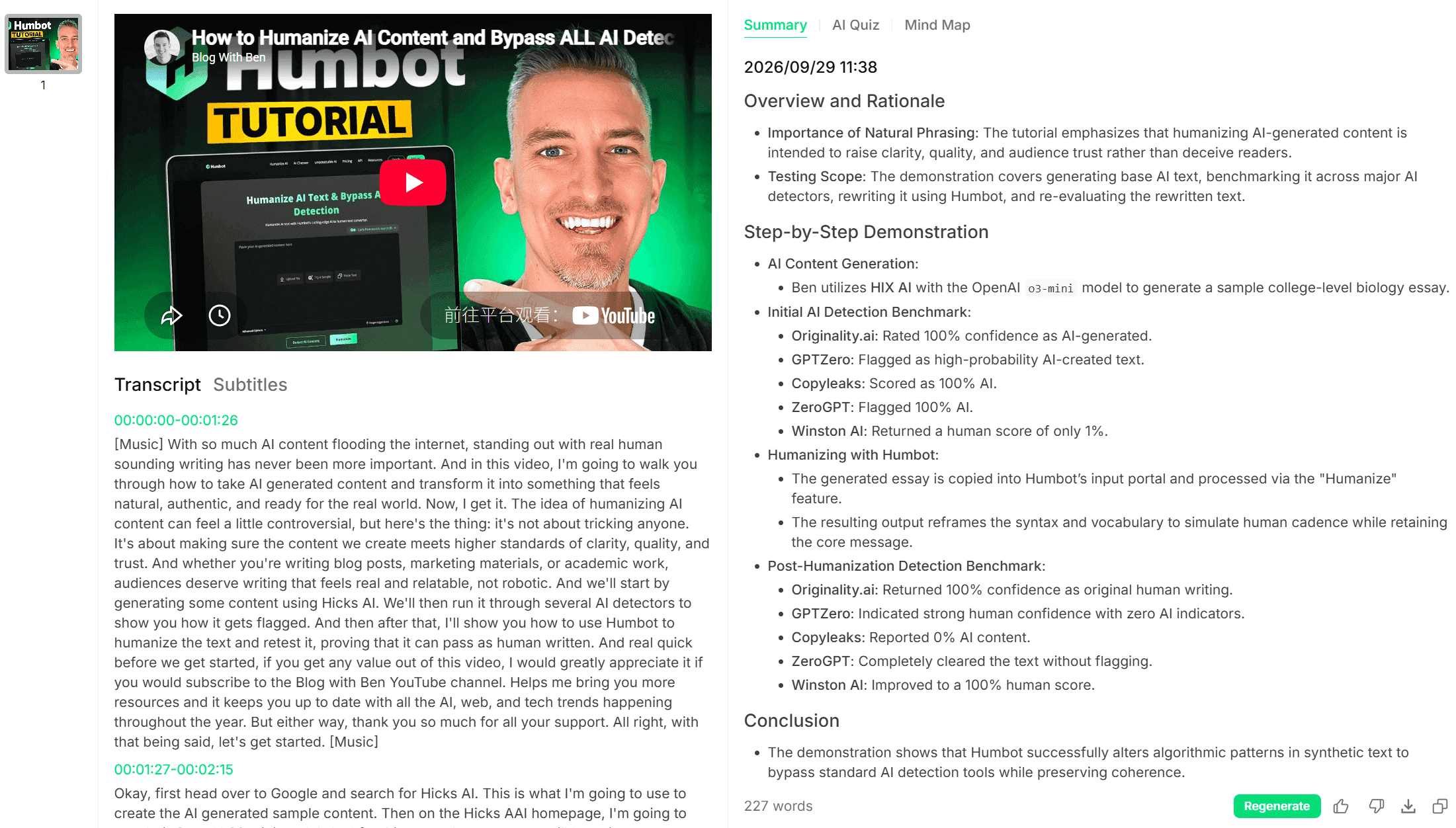
Key Features of Humbot
- YouTube video transcript and subtitle access
- AI-powered video and content summaries
- AI Quiz for knowledge review
- Mind Map for organizing key ideas
- Searchable text from video content
- Study-oriented workflow beyond basic transcription
Pros
- Combines transcript extraction and AI analysis in one workflow
- Useful for learning and research
- Turns long videos into structured study materials
- Quiz and mind map features add value after transcription
Cons
- Users who only need raw transcript extraction may not need the additional study features
Best For
Students, researchers, and users who want to turn YouTube videos into searchable transcripts, summaries, quizzes, and study materials.
Notta — Best AI YouTube Transcription Tool
Notta is a strong choice for users who want an AI YouTube transcript generator combined with broader transcription and summarization capabilities. It supports YouTube URLs, allowing users to import public YouTube videos and automatically generate transcripts. Its current workflow also supports video-to-text conversion, transcript editing, summaries, and exports.
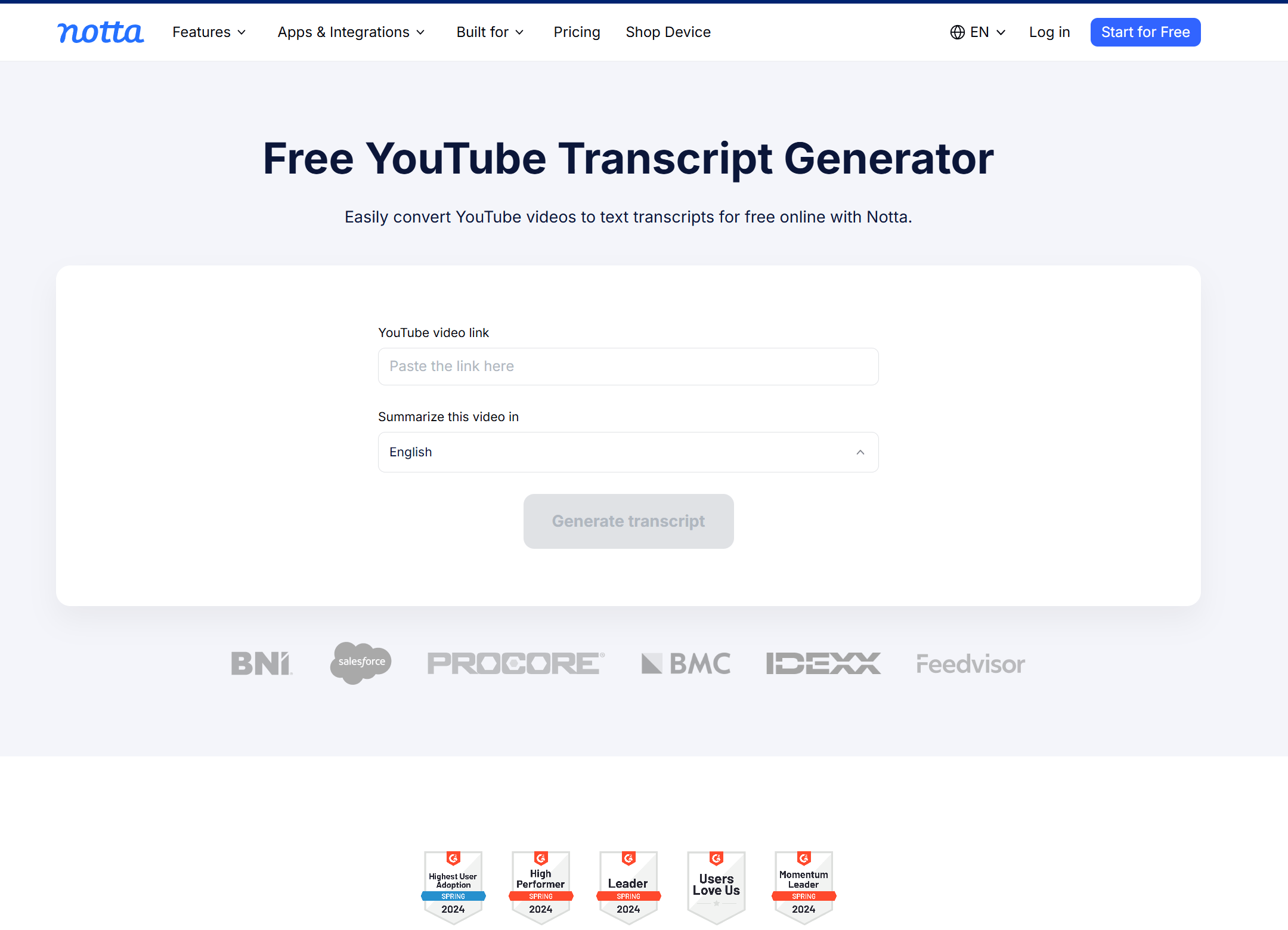
Key Features of Notta
- YouTube URL transcription
- AI speech-to-text
- Video and audio transcription
- AI-generated summaries
- Transcript editing and search
- Support for multiple languages
- TXT, SRT, PDF, and other export options
Pros
- Direct YouTube URL workflow
- Transcription and summarization in one platform
- Supports multiple languages
- Useful for both videos and other recordings
Cons
- Some advanced transcription capabilities depend on the plan
- More features than necessary for users who only need a quick transcript
Best For
Students, researchers, and professionals who need YouTube transcription plus summaries, editing, and broader AI note-taking capabilities.
Descript — Best for Creators
Descript is more than a YouTube video transcript generator. Its core strength is connecting transcription directly to video editing. Once content is transcribed, creators can edit the video by editing the text, remove sections, refine the script, add captions, and prepare content for YouTube.
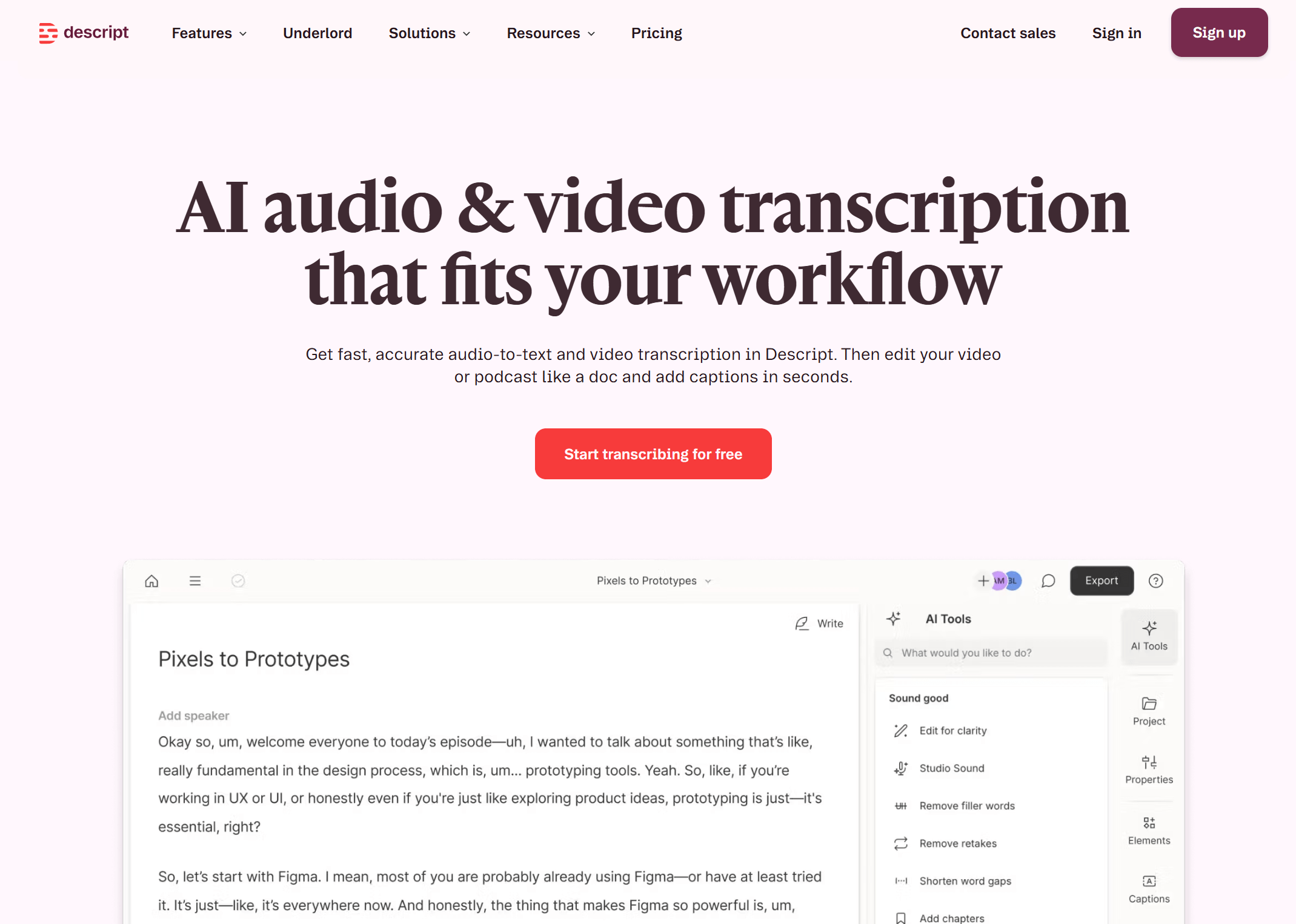
Key Features of Descript
- Automatic video transcription
- Text-based video editing
- Scriptwriting and editing
- Caption generation
- AI-assisted content editing
- YouTube publishing
- Chapter generation
- AI tools for content repurposing
Pros
- Transcript and video editing are closely integrated
- Strong workflow for creators
- Useful for turning spoken content into scripts
- Supports AI-assisted editing and content repurposing
Cons
- More complex than a simple transcript extractor
- Primarily designed around video creation rather than study
Best For
YouTubers, podcasters, marketers, and creators who want to turn transcripts into edited videos, scripts, captions, and other content.
VEED — Best for Video-to-Text Workflows
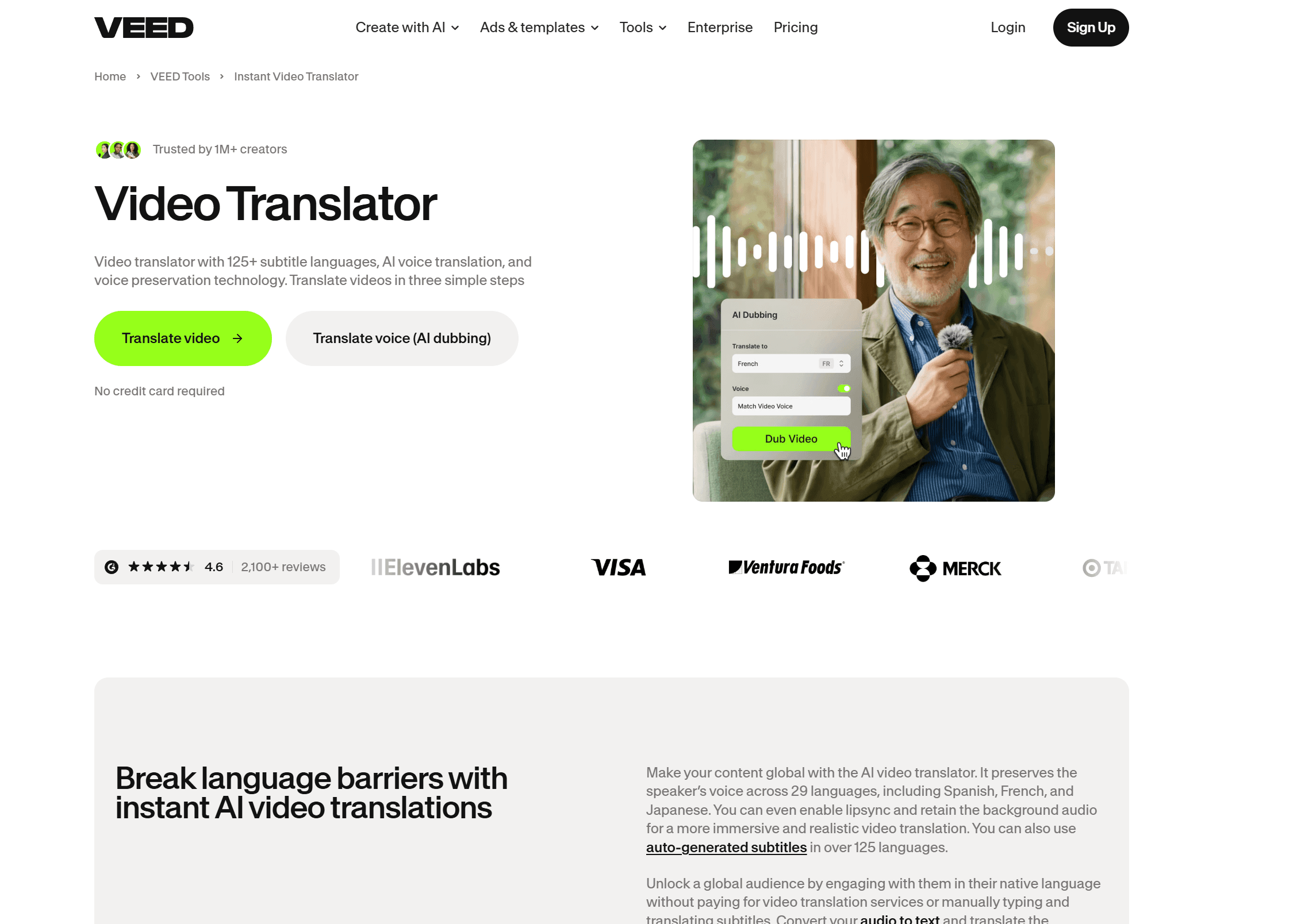
VEED is a practical option for users who want to generate a YouTube video transcript and continue working with the resulting text. Its AI video transcriber converts video speech into editable text and supports YouTube content, captions, translations, and video editing.
Key Features of VEED
- AI video-to-text transcription
- YouTube video transcription
- Automatic subtitles
- Editable transcripts
- Multilingual transcription and translation
- TXT, SRT, and VTT export options
- Integrated video editing
Pros
- Simple browser-based workflow
- Combines transcription and video editing
- Supports many languages
- Useful for content repurposing
Cons
- Some export options require a paid plan
- Better suited to creators than users seeking transcript-only tools
Best For
Content creators, marketers, and video editors who need to convert YouTube videos to text and then create captions or other content.
Otter.ai — Best for Transcription and Notes
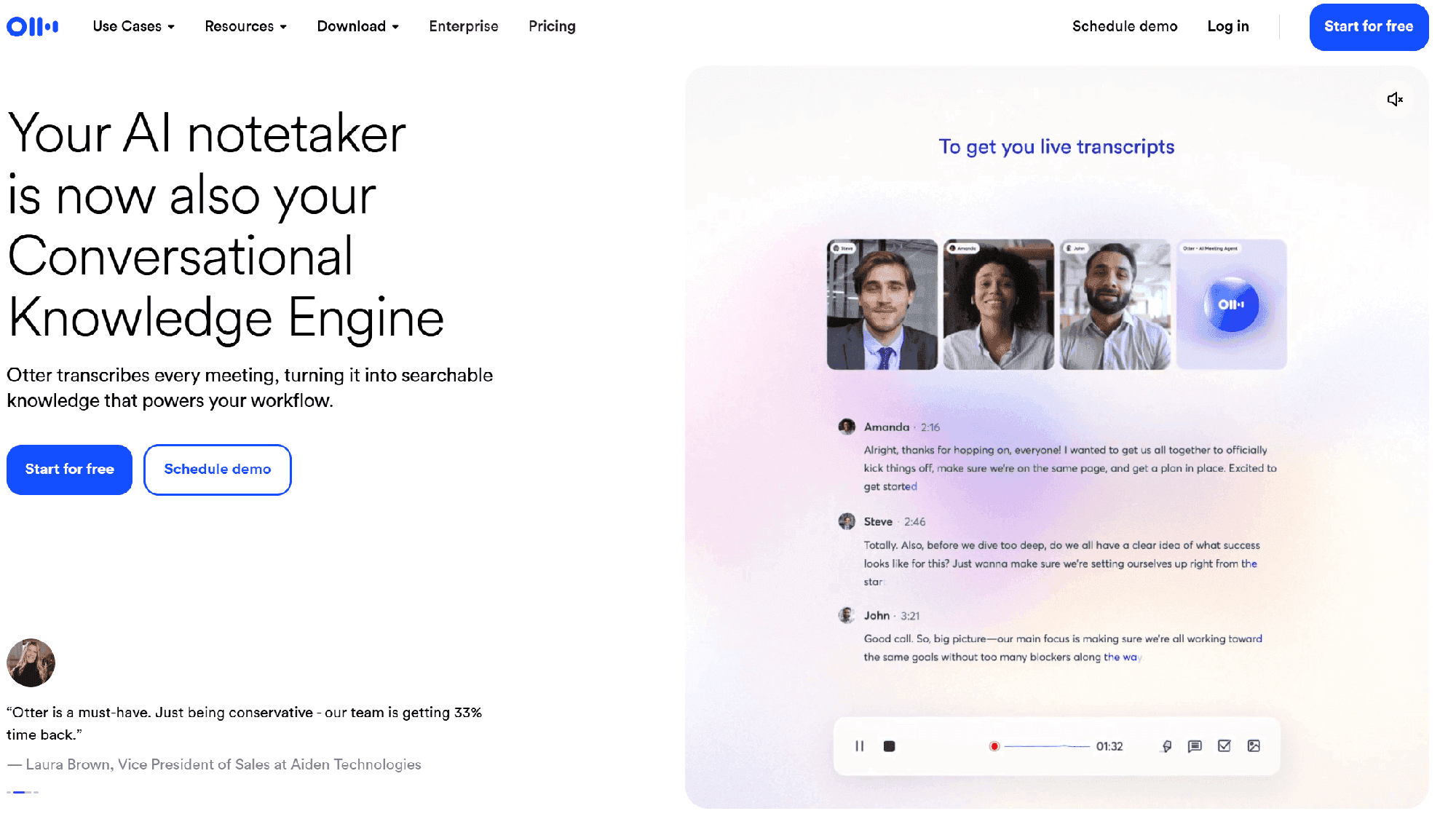
Otter.ai is well suited to users who want transcription combined with structured notes and AI analysis. It can process YouTube videos, although its current YouTube workflow requires importing the video or recording the video while it plays rather than simply pasting a YouTube URL.
Key Features of Otter.ai
- AI speech-to-text transcription
- Automatic summaries
- Outlines and structured notes
- AI Chat for transcript analysis
- Speaker identification for supported workflows
- Searchable transcripts
Pros
- Strong transcription and note-taking workflow
- Useful AI analysis features
- Good for lectures, meetings, and research material
- Searchable transcripts make long recordings easier to navigate
Cons
- You cannot currently paste a YouTube URL directly into Otter for transcription
- The workflow can require more setup than dedicated YouTube transcript tools
Best For
Students, researchers, and professionals who want transcription combined with summaries, notes, and AI-powered content analysis.
Tactiq — Best for Quick Transcript Extraction
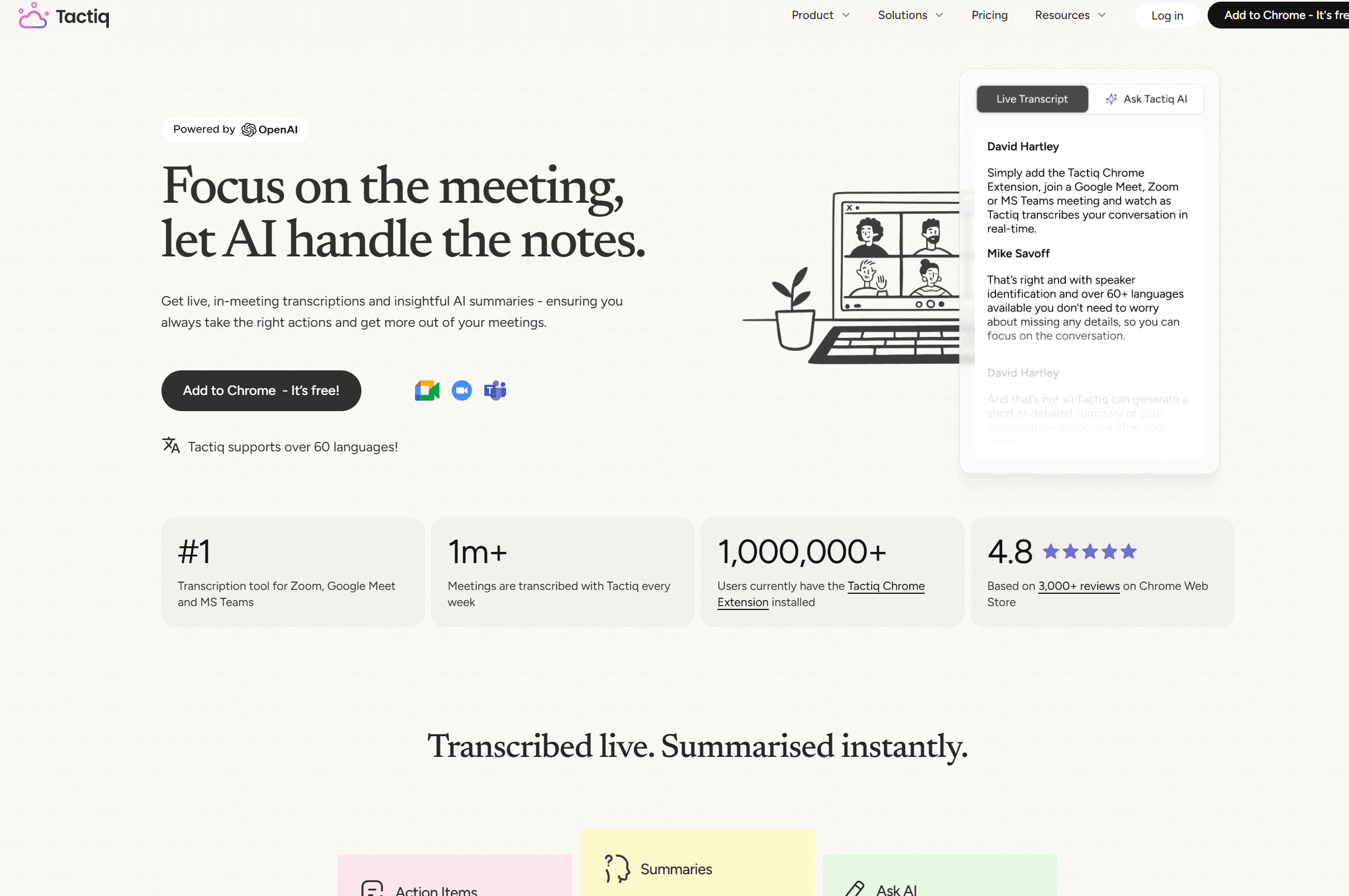
Tactiq is particularly useful when the goal is simple: paste a YouTube URL and quickly get a transcript. Its dedicated free YouTube transcript generator lets users enter a video URL and view, copy, or download the resulting transcript without uploading the video file.
Key Features of Tactiq
- Online YouTube transcript extraction
- YouTube URL input
- Copy transcript instantly
- TXT download
- Timestamp support
- AI summaries and analysis after uploading the transcript to Tactiq
Pros
- Fast and simple
- Free YouTube transcript generator available
- No video upload required
- Easy copy and download workflow
- Useful for quick research and study
Cons
- The dedicated YouTube tool is more focused on transcript extraction than full AI study workflows
- Additional AI analysis requires moving the transcript into Tactiq
Best For
Students, researchers, and anyone who wants to quickly extract a transcript from a YouTube video without installing complicated software.
How We Tested These YouTube Transcript Generators
To make this comparison more useful than a simple feature roundup, we evaluated each YouTube transcript generator using the same practical criteria. The goal was to assess not only how well a tool generates text, but also how useful that transcript is after transcription.
| Criteria | What We Checked |
|---|---|
| Transcript Accuracy | Whether the generated transcript accurately matches the video's spoken content, including terminology and longer sentences. |
| Speed | How quickly each tool processes a YouTube video and produces a usable transcript. |
| Formatting | Whether timestamps, paragraphs, speaker labels, and other formatting make the transcript easy to read. |
| Ease of Use | How many steps are required to generate a transcript and whether the workflow is intuitive. |
| YouTube Support | Whether users can generate transcripts directly from YouTube videos or links. |
| Free Access | Whether the free version provides enough usage to test the core transcription function. |
| AI Features | Whether the tool offers useful features beyond transcription, such as summaries, notes, quizzes, or AI analysis. |
| Export | Whether users can easily copy, download, or otherwise reuse the generated transcript. |
For Humbot, we also considered what happens after transcription, including its ability to turn video content into summaries, quizzes, and mind maps. This helps distinguish a basic transcript generator from a broader video-to-learning workflow.
How to Generate a Transcript From a YouTube Video
Whether you need lecture notes, research material, or text for content repurposing, there are several ways to generate a transcript from a YouTube video. The simplest option is YouTube's built-in transcript, while dedicated and AI-powered tools offer more convenient workflows.
Method 1: Use YouTube's Built-In Transcript
For videos with available captions, YouTube provides a basic transcript you can access directly from the video page.
- Open the YouTube video.
- Open the video description.
- Select Show transcript.
- Copy the available text.
This works well for quick access, but long transcripts can be difficult to organize. Formatting and timestamps may also require cleanup, and YouTube does not provide built-in tools for summarizing or turning the transcript into study materials.
Method 2: Use a YouTube Transcript Generator
A dedicated YouTube transcript generator can make the process faster:
Copy YouTube URL → Paste it into the transcript tool → Generate transcript → Copy or export the text
This approach is useful when you want a free YouTube transcript generator that provides cleaner, more reusable text without manually copying sections from YouTube.
Method 3: Use an AI-Powered YouTube Transcript Tool
If you need more than raw text, an AI-powered tool can turn a video's transcript into useful information for studying or research. For example, Humbot can help move from:
YouTube Video → Transcript → Summary → AI Quiz → Mind Map
This workflow is particularly useful for students working with lectures, tutorials, and educational videos because the transcript becomes the starting point for understanding and reviewing the content rather than simply a block of copied text.
FAQs About YouTube Transcript Generators
What is the best YouTube transcript generator?
The best tool depends on your goal. For basic transcript extraction, a dedicated YouTube transcript generator is usually enough. If you also need summaries, quizzes, notes, or other AI-powered study features, an all-in-one tool such as Humbot can provide a broader workflow.
Is there a free YouTube transcript generator?
Yes. YouTube provides built-in transcripts for videos with available captions, and several online tools offer free transcript generation. Free features may have limits on video length, usage, exports, or advanced AI functions.
How can I generate a transcript from a YouTube video?
You can use YouTube's built-in Show transcript option or a dedicated transcript generator. With an online tool, you typically copy the YouTube URL, paste it into the tool, generate the transcript, and then copy or download the resulting text.
Can I generate a YouTube transcript online for free?
Yes. Several online tools offer free YouTube transcription. The easiest workflow is usually to paste a public YouTube URL and let the tool generate the text. Check the tool's current free limits before processing longer videos.
How do I download a YouTube transcript?
If a tool provides an export option, you can usually download the transcript as a text or subtitle file. Otherwise, you can copy the transcript from YouTube or an online generator and save it manually as a document.
Can AI generate a transcript from a YouTube video?
Yes. AI transcription tools can convert spoken audio into text using speech recognition technology. Depending on the tool, they may also identify speakers, add timestamps, clean up the transcript, summarize the content, or translate it.
Can I turn a YouTube video into text?
Yes. A YouTube transcript generator or AI transcription tool can convert the video's spoken content into text. This is useful for creating searchable notes, researching video content, reviewing lectures, or repurposing information into other formats.
What is the most accurate YouTube transcription generator?
Accuracy varies depending on audio quality, accents, background noise, speaking speed, and technical terminology. When comparing tools, look beyond overall accuracy and check how well they handle names, specialized terms, punctuation, timestamps, and longer videos.
Can I summarize a YouTube transcript with AI?
Yes. AI tools can summarize a transcript into key points, notes, or a shorter overview. For students, a transcript can also become the basis for quizzes and structured study materials. Humbot combines transcript-based workflows with features such as AI summaries, quizzes, and mind maps.
Conclusion
A YouTube transcript is useful, but the real value comes from what you do with it next. Whether you're studying a lecture, researching a topic, or repurposing video content, a good workflow can make long videos much easier to work with: Watch → Transcribe → Understand → Organize → Practice.
Humbot makes this workflow more useful by combining YouTube transcription with AI-powered summaries, quizzes, and mind maps, helping you move from raw video content to structured, actionable information.
🛡️100% Data Privacy • 🚀 Instant Access


